Sorry to make a second post about this, but I got all nostalgic about the Terminal theme for GMail, and it reminded me that you can actually access GMail with a text-only browser.
It's been a while since I've done it this way, but Gmail actually plays along quite nicely with the Links (not lynx) browser, as long as you have it compiled with SSL support. If you use Links in X11, you can even use the mouse to click on things.
2008-11-20
GMail In Terminal Mode - Really (with Links-SSL)

GMail Themes? Terminal Mode!
GMail recently enabled a Theme feature. I couldn't resist using the new "Terminal" theme. I'm such a nerd.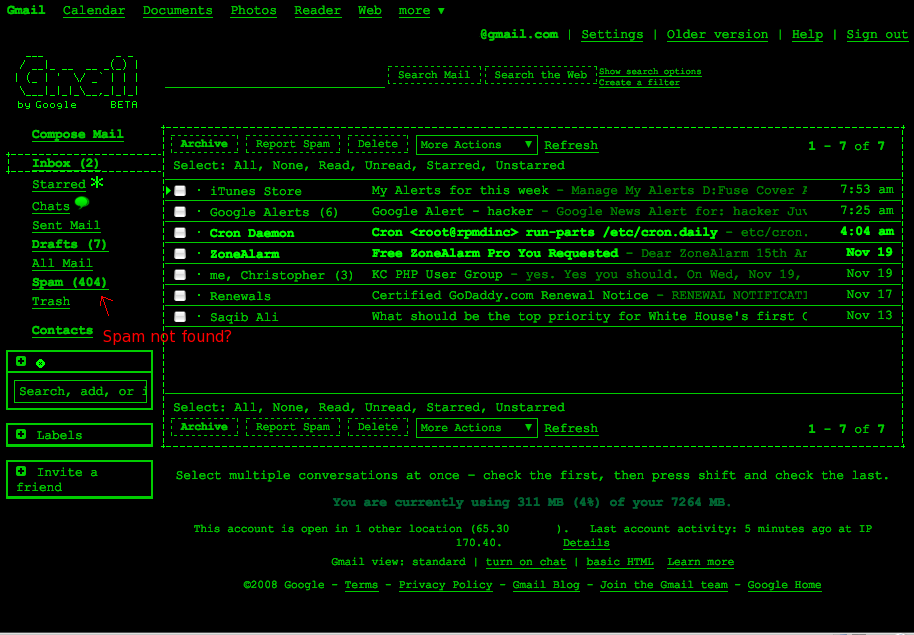
2008-11-19
Open-Source HDR photography with CHDK and qtpfsgui
Often, one photograph might have regions that are overexposed and others that are too dark. Details are lost in these regions. Explained simply, HDR is about taking over-exposed photos to get the detail from the dark areas and under-exposed photos to capture textures in the brighter areas, then tone-mapping them together into one high-contrast composite image. Here's what you need to make tone-mapped HDR images:
- Tone-mapping software
- A set of photographs. Not just any photographs:
- All taken from exactly the same perspective.
- Varied exposure. It's recommended you have at least 3: one underexposed, one "normal" exposed, and one overexposed.
- The more photos, the better (to an extent)
- Take the highest quality photos possible. That means cranking up the resolution, using the lowest ISO you can get away with, and shooting in RAW if your camera can handle it.
I've written a little about The Canon Hacker's Development Kit, and even demonstrated CHDK at a 2600 meeting a while back ago.
CHDK is a firmware patch for Canon digital cameras. On inexpensive point-and-shoot Canons such as the PowerShot A530 my wife bought me for Christmas a while back ago, the firmware gets revamped, unleashing the ability to shoot in lossless RAW format, view live-updating histograms on-screen, run scripts, and even play games. You can obviously read more about it on the CHDK wiki, but Lifehacker had a decent write-up that you should check out.
Using CHDK to get a set of bracketed photos
While CHDK has a decent bracketing script on the wiki, you don't even need that. The default "Allbest" firmware has bracketing built-in. Read the CHDK installation instructions first. In fact, I recommend that if you haven't played with CHDK before, you bookmark this page, get CHDK installed, and play with it for a while first. Just to get used to it.
If you're local to Kansas City, I'd be more than happy to help you get up to speed. The script functionality is worth looking at. I'll cover it in a later article.
Pardon my "Screen shots" - I had to take them with a camera phone, so I hooked my Canon A530 up to the TV screen so that I could take photos of the menu without trying to focus on the tiny screen of my camera through the tiny screen on my phone.
Once CHDK is installed and started, fire up the Alt menu. Select:
Extra Photo Operations
--Bracketing in continuous mode
----TV bracketing value

Set that to at least 1/3 Ev as shown above (click for higher res). The bigger this number is, the fewer photos you'll need for a good range, but keep in mind that the more photos you get, the better. 2/3 or 1 Ev is a good compromise if you choose 5-7 photos. With 1 1/3 Ev or higher, you could try 3 or 5 photos.
To enable RAW (if supported)
RAW parameters
--Save RAW
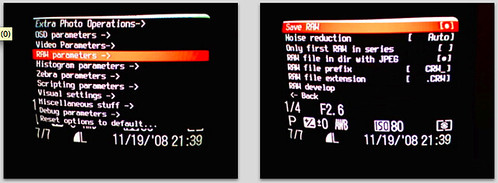
Select that, but keep in mind that it will take a few extra seconds per photo to save the image, and the RAW image will take up a lot of space on the memory card. For this demo, I won't be using RAW mode. If you choose to use RAW, they can be processed with UFRaw, a freeware tool that turns RAW photos into high-quality JPEG images.
Bail out of the Alt menu and if it's not already in photo mode (instead of play/view mode), switch it over. In the Function menu, switch to Custom Timer drive mode. Hit the Menu button, and select the delay you want (a few seconds is a good idea, to avoid the jiggle as you hit the shutter) and the number of photos. I had 0 seconds delay in this photo, but you should probably go for 2 seconds or so. The camera should be on a tripod or stable surface.
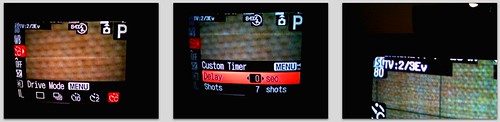
Notice that in the last frame, CHDK has noted that bracketing is enabled for 2/3 Ev.
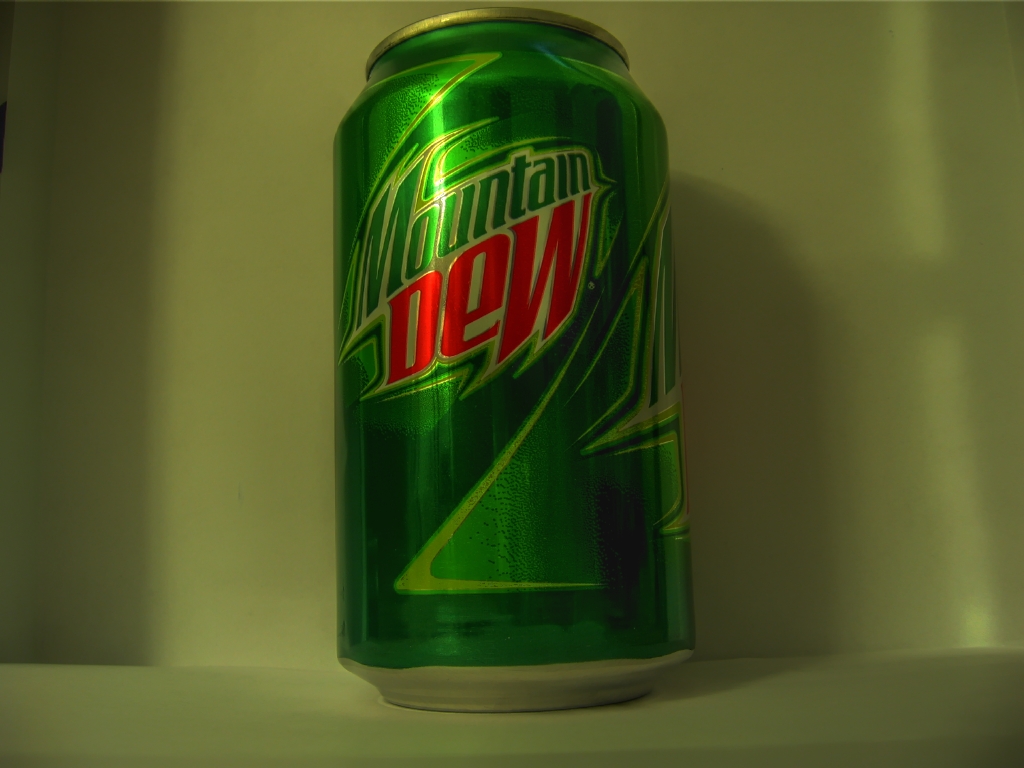
I then shot 7 bracketed photos of a Mt. Dew can. I used iPhoto to import these, but if you're an open-source zealot, I've had good luck using gtkam on FreeBSD and Linux with my Canon camera.
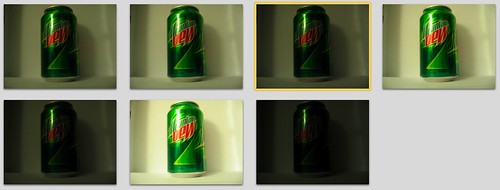
The hard part is done.
Tone-Mapping with qtpfsgui
A lot of the software for HDR is expensive, too. Photomatix is one of the more popular tools, and it's $99. qtpfsgui is an open-source tool based on QT. It runs on Linux, Windows and Mac OS X with little fanfare. While not as intuitive or easy to use as Photomatix, you still get more than you pay for with qtpfsgui. It's free, after all.
Load the images in, and select the option to automatically align them.
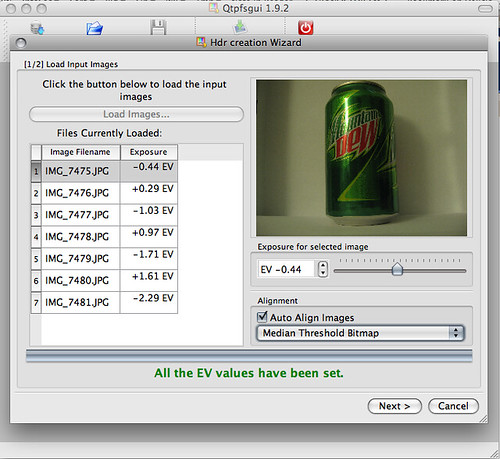
Click through the wizard and you'll have an HDR composite. Feel free to tinker with the values in the wizard to get the effects you want, but it's not needed if you just want to get started. In the resulting window, click "Tonemap the Hdr", then have fun exporting the images and playing with the values in the new window. Clicking "Apply" here will give you a composite with your settings. By default, it's a thumbnail size that renders quickly. You can see 4 different ones I did below with different settings.
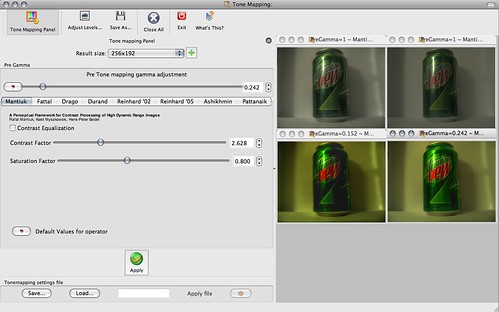
Once you've got a thumbnail that you really like, bump the Result size up to something usable and apply it again. Then use File - Save As to export the shiny, HDR image. Wow and amaze your friends.
Notice how the brightest and darkest areas retain a lot of detail. Click here for full size.
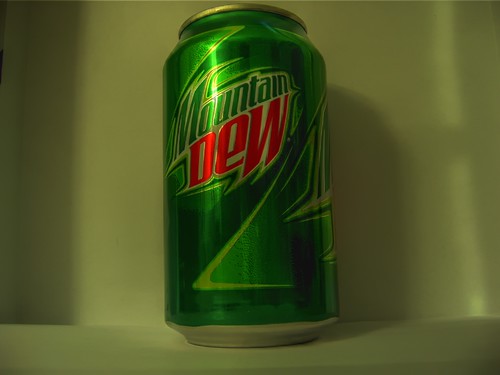
Here's a more extreme example of HDR that I took this morning:

Metasploit Framework 3.2 released
 In a press release issued this morning, the Metasploit team announced the immediate release of Metasploit Framework version 3.2, which boasts significant improvements and additional features from previous versions:
Version 3.2 includes exploit modules for recent Microsoft flaws, such
as MS08-041, MS08-053, MS08-059, MS08-067, MS08-068, and many more.
The module format has been changed in version 3.2. The new format
removes the previous naming and location restrictions and paved the way
to an improved module loading and caching backend. For users, this means
being able to copy a module into nearly any subdirectory and be able to
immediately use it without edits.
The Byakugan WinDBG extension developed by Pusscat has been integrated
with this release, enabling exploit developers to quickly exploit new
vulnerabilities using the best Win32 debugger available today.
The Context-Map payload encoding system development by I)ruid is now
enabled in this release, allowing for any chunk of known process memory to
be used as an encoding key for Windows payloads.
The Incognito token manipulation toolkit, written by Luke Jennings, has
been integrated as a Meterpreter module. This allows an attacker to gain
new privleges through token hopping. The most common use is to hijack
domain admin credentials once remote system access is obtained.
The PcapRub, Scruby, and Packetfu libraries have all been linked into
the Metasploit source tree, allowing easy packet injection and capture.
There are many other improvements listed, so head on over and check it out, or get to the downloading already.
2008-11-18
Rock, Paper, Scissors, Lizard, Spock!
This is just too funny to not share. I saw it on Big Bang Theory last night. Then, I saw the video clip in my Google Reader this morning via Geeks are Sexy.
Watch. Enjoy. What better way to determine which sorry sap has to buy pizza for your next late-night maintenance window?
A more thorough explanation of the concept (which has apparently been around since at least 2005) can be found here. I still can't tell exactly what you're supposed to do to make a "lizard", though.
2008-11-14
R.I.P. Security Bloggers Network (for now)
 Alan Shimel just reported that Feedburner networks are going the way of the Dodo, and the beloved Security Bloggers Network RSS feed on FeedBurner is no more.
For those who don't know what SBN was, it was a huge RSS feed with some great security blogs all rolled into one. Drop it into Google Reader or something, and you were all set. HiR just recently got on board. Too bad it had to happen this way.
Don't worry, though. Shimel assures us that there will be another, comparable spliced RSS feed coming soon. Until then, if you were watching the Security Bloggers Network, you might want to start hunting down links for your favorite reads. If you have some favorite information security sites, feel free to post links to them, or a link to an OPML file.
2008-11-13
Simple Pleasures
I'm sitting here compiling the latest build of nmap directly from the source tree. I haven't done this in quite a while. I'm lazy and usually make do with whatever binary build I can find. Now that I have a reasonably fast OpenBSD machine (not in a VM) I decided to go for it again and saw this gem at the end of ./configure: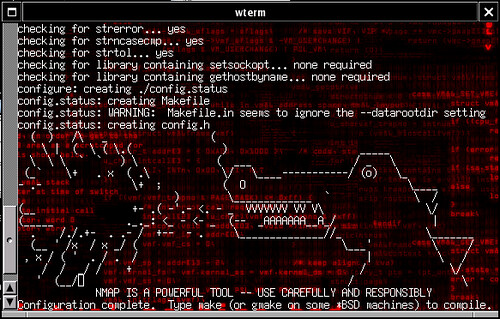
Perhaps I'm easily entertained, or maybe it's just been a heck of a week and I'm ready for Friday. Regardless, it made my day. Thanks, Fyodor!
Subscribe to:
Posts (Atom)

 Posts