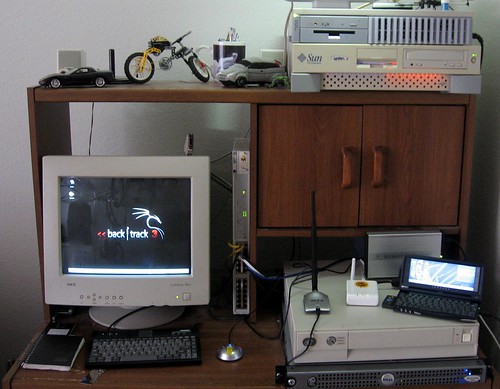
At any rate, belhold, the updated guides:

Yes, you have to give them your e-mail address. And yes, like many publications, there are a bunch of advertisements. Every once in a while, BSDMag covers a lot of security-related topics, and this is one of those. Click below to get the latest issue.

 ... well, kind of.
 In the technology field we like to "train" people how to do things. But many people do not understand the difference between training and education. To educate someone means that they have an understanding of how to perform a task and to understand why it works. To train someone on a subject only gives them part of that equation. A person who has been trained on a subject only knows a process to accomplish a task but does not know how or why that process works.
For years, Internet technology has trained people to use the Internet in a certain way. We train people to break up the search queries into key words instead of whole sentences. We train people to "Google" it rather than to fully research a topic using traditional library media or trusted resources. And finally we train people to click on "YES" when any question is presented to them when they click on a link.
So when Microsoft released Internet Explorer 8, help-desk's around the world were deluged with angry calls about websites which suddenly stopped working. The problem was that Microsoft, rather than passively continuing its part in training users to press "YES" to continue, now requires a "NO" to continue.
My hope is that people actually are forced to read what they are agreeing to. And when they do finally read it, they start asking very important questions like what they are agreeing to exactly. The most common issue is with websites is when they mix secured and unsecured content. To most people so long as only their private information is being sent on the encrypted channel, they are satisfied. However the problem really lies with authentication, most authentication uses a session ID variable which is given to the user with every transaction. Unless special measures are taken this session ID can leak out of the secured session and become available to someone who is eavesdropping. That person can then usurp the connection and pretend to be the user.
This is not all the users' fault of course; the developers take the blame too. It isn't until recently that people have started to do exactly what they are supposed to do and complain and make sure that all of their secured website links are SSL aware. Popular web applications like Wordpress are pretty dumb when it comes to this issue; there are of course plug-ins which patch this issue, as well as some all or nothing solutions which force everything to be SSL but nothing very elegant. The real issue with web apps is when dealing with plug-ins and 3rd party software which are not forced to follow any convention when creating content or linking.
Other web security related articles at H-i-R:
PHP is a popular server side scripting language, it's as simple or as complex as you want to make it. It is typically used along with Linux, Apache Web server and MySQL RDBMS. In most web applications the script acts on user provided information and returns processed data. To this end there are a number of simple steps you can take to help make your web application less vulnerable to exploitation by an unfriendly party.
This article is intended for beginning to intermediate web application programmers.
=======ToC=========
1. Introduction
2. Methods of input
3. Input data validation
4. Trusted processing
5. Database queries
6. Raising the bar
7. Informative resources
===================
1. Introduction
PHP is a HTML pre-processor, meaning that it reads a file before it is sent to the user and if it contains PHP script, it processes it and returns the document and the processed results to the user. There are many other technologies which do the same thing each with their benefits and flaws. The importance here is not to proclaim the benefits of PHP over the others but to show some good ideas of how to protect your applications from un-friendlies.
2. Methods of input
In PHP we can get information externally from the webserver itself ($_SERVER), Cookies ($_COOKIE), Get variables ($_GET), Post Variables ($_POST) . In addition PHP can internally connect to just about anything.
Example:
So when Joe, our end user goes to your website to check this weeks Fantasy Football scores on your website, he will login (sending login information using POST variables) to a script which then reads the login information and decides whether he can login. Then it returns a page with the result of his attempt and then either takes him to the next page or back to the login prompt. Once he is logged in, PHP sets a Cookie with a unique random session id. Every time a browser returns that cookie to a page, it knows that this session is good and belongs to Joe. Then Joe sorts his results page sending some criteria via a Get variable which is used to control a query to the sports database.
The important thing to know is that Joe can control everything he sends to the server. He can see the cookie contents, post data and get variables. Lets say that Joe wants to check a friends team score. The site allows Joe to sort his scores using GET variables. Joe just places in an escape character and appends some SQL to view his friends score.
3. Input data validation
Think of a web application like a game of D&D, if you are out on the desert plains with a 12th level Barbarian named Ogar, whats keeping the player from making Ogar go left when the DM expects the player to go right? There is no reason Ogar the barbarian can't sit down and whittle a set of dice, mark up a parchment with character stats and then play Cube farms & Bosses.
You have a nice HTML page which provides for the intended actions of the user but everything in the browser or on the computer is out of your control. Java script, plug ins, input, cookies and URLs are not controllable and therefore cannot be fully trusted.
The key is limiting the users choices, and abstracting their decisions. If your scripts inputs expect a phone number, then the input should only be numbers or else its invalid. If there is only search methods A,B or C then if the input isn't A,B or C then it has to be invalid. Simply filtering out known bad data such as embedded javascript isn't 100% effective, if the data type is contaminated it cannot be trusted.
The quality of the data you take in is important, the other part of this is abstraction of the users decisions. If a persons available choices are A,B and C, and internally you identify A, B and C as actions and everything else as false input then that is more effective than allowing user input directly control your data.
4. Trusted processing
Assuming that you have done your due diligence and secured your server, it is more trustworthy of a computing platform than your clients workstation. A clients workstation could be infected with mal-ware, it could have a malfunctioning or obsolete browser or the user could intentionally manipulate the http variables to trick the application. Input validation cannot be done using JavaScript alone, trusting JavaScript or any other plug in to obfuscate your applications process just isn't a good idea. Client side scripting is good for enhancing the presentation and for providing a means to communicate information effectively to the user but it should not be relied upon to process information.
5. Database queries
Filtering valid data is just one step, the other step is on your data sources such as MySQL, Postgres, Oracle ... most modern Databases allow you to do a prepared statement which auto-magically binds input into a SQL string. Because its binding data directly to a variable the chances that a user's escape string can hijack the SQL query is greatly diminished. By limiting the users input to only data and not to the program execution process you greatly reduce the possibility of your script becoming compromised.
For example:
"http://example.com/mypage.php?display=select * from mydatabase.mytable where user=Joe order by date;"
Including SQL in a user accessible variable is a really really bad idea. Even if it is on a link that Joe wont see and Java script is used to obscure the URL. Joe controls the machine so any obfuscation used will never be effective. What is stopping Joe from substituting "select 'joe' as user password as score, currdate() as date from mysql.users where username=root;"?
6. Raising the bar
There are alot of "Magic Bullet" solutions to web application security. Application firewalls monitor information going both to and the web application. SQL application firewalls filter out suspicious SQL commands going to your RDBMS server. For most developers, these solutions are
either too expensive or too complex to implement for individual web applications. Here are some PHP security plug ins and tools to help raise the bar on the cheap.
When you use this or any other security plug-in, it is vital that you evaluate your applications baseline performance to know what is normal behavior. For instance PHPBB2, a popular PHP bulletin board application display a large list of forums. And mysteriously the settings would not save. I was using Suhosin and this was caused because the number of variables being posted was above Suhosin's default limit and the script was aborting before it could save the changes.
On the server side there is Green SQL, which is a MySQL sanitizer/proxy. Then there is mod_security which hardens Apache and turns it into an application firewall. mod_chroot is similar in the basic functionality of mod-security except it just chroots Apache transparently to the user. Then there are web application security scanners such as the ones included in Nesssus.
Wapiti checks for cross-site scripting (XSS), injection and other common issues. OWASP's WebScarab is a good utility for testing user access to http variables on the client side and intercepting the raw http conversation between the client and the server.
7. Informative resources
Breach Security "Mod Security home page". (Accessed April 2009)
http://www.modsecurity.org
Dawes, Rogan "OWASP WebScarab Project" (Accessed April 2009)
http://www.owasp.org/index.php/Category:OWASP_WebScarab_Project
Esser, Stefan "Hardened PHP Project" (Accessed April 2009)
http://www.hardened-php.net/suhosin/
Freitag, Pete "20 ways to Secure your Apache Configuration" (Accessed April 2009)
http://www.petefreitag.com/item/505.cfm (Posted Dec 5, 2005)
Green SQLProject "Green SQL home page". (Accessed April 2009)
http://www.greensql.net
Hobbit "mod_chroot" (Accessed April 2009)
http://core.segfault.pl/~hobbit/mod_chroot/
OWASP Foundation. "Main Page" (Accessed April 2009)
http://www.owasp.org/index.php/Main_Page
Tenable network security inc. "Nessus Product Page" (Accessed April 2009)
http://www.nessus.org/nessus/
The Apache Foundation. "Apache HTTP Server Project". (Accessed April 2009)
http://httpd.apache.org/
The PHP Group. "PHP: Hypertext Preprocessor". (Accessed April 2009)
http://www.php.net/
Surribas, Nicolas "Wapiti Web application vulnerability scanner / security auditor" (Accessed April 2009)
http://wapiti.sourceforge.net/
See also:
Ax0n's OAMP (Apache, Mysql, PHP on OpenBSD) Article:
http://www.h-i-r.net/2008/12/sysadmin-sunday-amp-on-openbsd-44.html
Asmodian X's Name based hosting mini-howto:
http://www.h-i-r.net/2008/10/sysadmin-sunday-apache-name-based.html
Asmodian X's Workbench - Suhosin :
http://www.h-i-r.net/2008/12/asmodians-workbench-suhosin-hardened.html
Base64 Encoding is a MIME content encoding scheme. Its mechanics are described in Wikipedia.

echo -n "dGVzdDp0ZXN0aW5nMTIz" | base64 -dI used echo -n because it supresses the newline character. Since Base64 encodes everything, it will even catch the newline. This isn't as important during decoding as it is encoding. The -d flag on Base64 simply tells it to decode. Encoding is base64's default mode of operation. As you can see, the Base64 string decodes to a username and password separated by a colon. We don't actually have to go through this hassle, though, because Wireshark will decode it right there for you. I simply suppressed that line in the screenshot above.
test:testing123
-bash-3.2$ cat .ncftp/bookmarksWhat's that I see? No, That's not my real password anywhere. Although the base64 version wouldn't make a horrible password in its own right. For what it's worth, at least the permissions on that bookmark file are decent, and ncftp doesn't store the password by default unless you tell it to do so.
NcFTP bookmark-file version: 8
Number of bookmarks: ??
aix,aix.labs.h-i-r.net,axon,*encoded*Z3JyQHU=,,,I,21,1238536534,-1,-1,-1,1,192.168.0.56,,,,,,S,-1,
-----BEGIN PGP PUBLIC KEY BLOCK-----
Version: GnuPG v1.4.8 (OpenBSD)

mQGiBEekLI4RBACmr4BQRpNLefun1GQ9+n6R/FUUBRm8t3JRSQMnMo71ED+31gbN
tJEQJVbvPDcTAoA2rib21N5i7ijDqoO3ge+kb47YaRPwstMYpJf6OfhLRA3X/pfP
6rIawkbEMAQXM5ZP95GYeNXOWKlHBu0nDAka3PV6kZIa5WCDcHgMbryQUwCgtgNj
ckovho5yFEm+NgmYsifueOMD/37pMDNWSEStEAkG616dZA4aaNpzY0BxJoGdweOi
dvYr3/LfczJPVEbPb1jnprlBDb3NYDFHpqe9b7gOopVzNvF4EjQo+UO9ouQH7eQn
DPRNBvtrEu4R/by9Z+Ra9YEsGV9hJNugk9KZOJx60/jRYaFlDEOKtUC8DeGGn9od
uoGuA/42SdEHzxN7tY3T7blKK48XthutWYzHdcK9g99t/sLnTRk5/pKcShTd2nVE
FSYIV5KGYb0jGDR2oADbm9LdeNl0nhGPcRSjmyfC6hMMAOnps5Cu1DS8m/FFUc4y
mBBPlIvilYgxmcUm1JKEli3u+PMw7oWLsbFxORhA80TuuQF+NLQfYXgwbkBoLWkt
ci5uZXQgPGF4MG5AaC1pLXIubmV0PohgBBMRAgAgBQJHpCyOAhsDBgsJCAcDAgQV
AggDBBYCAwECHgECF4AACgkQr8ciJ3FEwJ8ORACfRcVrwwZ7jgcx9owJ5eRevj50
obYAn0LPRZCa0tlL17M9ukpKCnTFNqpfuQINBEekLI4QCADqqYCTgA0i584jlsfZ
y5WRpUiLqCQ+9dA3gN+S15J2lpm+/XPU2VQafhc9rnQCB2XPHGxOWqdRhZ3uBkcD
LRAP5Sg0l6kKSfp+TM89XACJMzyqYFlSS5jP1U+ZPoR0OQhwMj7Tzq6BfN5/D8Xj
J92rXvyxKgu99+qMPAkYV6+ZxErR/+kbeS7Btik9frVFwztEGvRjv+h7FGEr2syo
vYu7unXvMMgK97V8XrQsJ9Qde7dcbP1YUlEJPaEUf9MbEf749I1o+CDKl3KyWl12
V6N/21di6IYYnKt5ay2wn6YlozjKPAqSBRFTctiZ6mxQ/ylKm0qg1QrRyHDaZW20
1PzzAAMFB/9opsz5ST20NxTHUyE/4BMYgkI2eX18z6NrMvUnPs+XN1VIwpZVdePB
1K6jhqP74Qjs0VYXLgkrZ6qFFZQFb/F+aqMMu5SU30/PZTClDInzKo3kQh7QaTV5
WeOnHkTKDtq4+IMZT1K0d46tFfS9SVkHF28disYtJXzKIXg1XijIZgBUHBPbMu4s
NH3DCBZw+5AdUR7jxKs/TvOsj02I1QoihoBNNoB1lvhoes7vIAPXmt+bp35pJfUK
IFc9Fx0lkH5VcehloDARiNE+1fyuxLNNdwxLlyLFaiW10rA+3MK5oFu+ke5EPPxI
qB1wNOT4/wsED1s/1HYH1XNBfNDDDP/fiEkEGBECAAkFAkekLI4CGwwACgkQr8ci
J3FEwJ/LPwCdEbmoA7z8NgEYEFmPKkDOkOD5kHsAnAtBE9BhCdjlST1WwS0bppWz
fsCY
=WF4H
-----END PGP PUBLIC KEY BLOCK-----
I like to tunnel SSH, whether it's for getting around a captive portal at an airport or for encrypting your traffic at DefCon.
At home, I use an old NetScreen1 5XP-Elite firewall. The "Elite" has absolutely nothing to do with its mad $k1llz. It just means it's got an unlimited network license, which is good because I have a lot of freaking computers in the Lab-O-Ratory.
I wanted to run SSH over port 53 (DNS) as well as 22 to aid in tunneling SSH where external DNS is allowed (more often than you'd think) but I got this error via the GUI:
On the CLI, I was met with this:
ns5-> set vip untrust-ip 53 SSH 192.168.0.56Well... CRAP!
###Invalid reserved vip port number 53 for SSH service!


 I finally got to meet RSnake in person at DefCon 16. He's a very personable web application security thought leader among many other things.
Sorry folks, no Sysadmin Sunday this week. But here's an interesting tidbit from Breach Security Labs: Their analysis of the significant web hacking events in 2007 show that almost 70% of web hacking incidents were performed for profit. Check out the press release here. The full report [PDF] is available here. It requires a free registration, but reliable sources (that's me) say that you can just use a dummy account.

 Posts
All Comments
Posts
All Comments