2008-10-28

The Geek 100 Pt. 1: Possessions and Lifestyle Skills

See the whole series: The Geek 100

This is a list of 100 basic things and skills every geek should have. I've broken this series up into five parts. Let's face it: a list of 100 things would be tedious to wade through. Over the rest of the week, look for twenty more skills to show up daily. I've listed possessions first. The rest of the series focuses on skills and knowledge. The skills assume you have done it in the past and can remember how to do it right now (or, like a good Geek, you've jotted it down in one of your notebooks). Having it in your personal notebook is okay. Scrambling to the Internet means you don't have the skill. Yet...

This is just a fun, arbitrary list I came up with mostly on my own but with some help just in case I was missing any skills I didn't even know I was missing. I'll give credit where due. Don't think I just took 100 things about myself and built up a geek paradigm from it. Most likely, you won't have all of these. I know I don't. The lucky ones will have a good chunk of these covered, though.

Possessions. Every geek should have:

  1. A citizen-band radio
  2. A computer that's incapable of running MS-DOS 6.0 natively
  3. A graphing calculator
  4. A notebook of tricks, tips, and things you don't want to forget how to do
  5. A weapon that fires (relatively) harmless foam projectiles
  6. An HTTP proxy
  7. Action figures
  8. An acoustic coupler, TDD, or acoustic modem
  9. An obsolete video game console
  10. Off-site backup storage

Lifestyle Skills. Every geek should be able to:
  1. Convincingly perform a magic trick or card trick
  2. Brew French-pressed coffee
  3. Play a musical instrument
  4. Point out discrepancies in movies that feature "hacking"
  5. Recite a significant number of lines from at least one Anime movie
  6. Scam free drinks from noobs at the bar (or at the lemonade stand if you're <21)>
  7. Social engineer your way out of trouble
  8. Speak a foreign language
  9. Start a large, powerful bonfire
  10. Use wordplay
See the whole series: The Geek 100

2008-10-26

Twitter Terrorism?

Oh REALLY?

Could Twitter become terrorists' newest killer app? A draft Army intelligence report, making its way through spy circles, thinks the miniature messaging software could be used as an effective tool for coordinating militant attacks.

For years, American analysts have been concerned that militants would take advantage of commercial hardware and software to help plan and carry out their strikes. Everything from online games to remote-controlled toys to social network sites to garage door openers has been fingered as possible tools for mayhem.

I've written about Twitter As A Threat before, but this is completely different. The US is still looking for tools the terrorists are using (you know, like the ONE time that someone tried to slip explosives by the security checkpoints in a pair of shoes?) and not finding anything but the dumbest, sloppiest and most ham-fisted terrorists. Check this out, and try to refrain from falling out of your chair in laughter:

Scenario 1: Terrorist operative “A” uses Twitter with… a cell phone camera/video function to send back messages, and to receive messages, from the rest of his [group]... Other members of his [group] receive near real time updates (similar to the movement updates that were sent by activists at the RNC) on how, where, and the number of troops that are moving in order to conduct an ambush.

Scenario 2: Terrorist operative “A” has a mobile phone for Tweet messaging and for taking images. Operative “A” also has a separate mobile phone that is actually an explosive device and/or a suicide vest for remote detonation. Terrorist operative “B” has the detonator and a mobile to view “A’s” Tweets and images. This may allow ”B” to select the precise moment of remote detonation based on near real time movement and imagery that is being sent by “A.”

Scenario 3: Cyber Terrorist operative “A” finds U.S. [soldier] Smith’s Twitter account. Operative “A” joins Smith’s Tweets and begins to elicit information from Smith. This information is then used for… identity theft, hacking, and/or physical [attacks]. This scenario… has already been discussed for other social networking sites, such as My Space and/or Face Book.


Wait! Terrorists are on MySpace and Facebook now, too?!

Look, guys. We get it: Terrorists communicate. Terrorists can communicate the same way other people communicate. What's next? "Terrorists might drive cars?" Looks like we'd better beware of anyone found driving a Toyota. Seriously, how much money do we have to waste on reports like this, which state the obvious while putting a sensational movie-plot spin on things?

2008-10-25

Where Are They Now: Quentin Stafford-Fraser

I've looked up to a lot of people in my day, and sometime in the middle of 1998, I was really looking up to the guys at the Olivetti & Oracle Research Laboratory (ORL for short) because they made something that at the time I considered truly groundbreaking and now, more than a decade later, I can't see living without it. If you've been around a while (or you're paying attention to my coffee mug in the photo) you may have guessed I'm talking about VNC, which now has quite a few forks, most of which surprisingly play very nicely with one another.

In 1998, I actually wrote an article about VNC in HiR's old text-zine format. Shortly after that, AT&T Swooped in and bought ORL. I contacted the team to ask if they had any of the cool VNC Mugs I saw on their Windows CE page (Archived here) and I actually was told by the team that "they shouldn't, because they had the old contact information on them" but they shipped me a pair of them anyways. Now, some 9 years later they're still some of my favorite mugs from which to quaff my morning coffee: I've got one at work and one at home.

QSF wasn't the sole inventor of VNC, but he put quite a bit of work into it and was one of the authors of the initial VNC whitepaper, first published in IEEE Internet Computing. When poring through mailing lists in my early days of using FreeBSD and OpenBSD on the desktop, I'd often run into QSF's helpful tips when dealing with compiling or troubleshooting issues.

QSF's also one of the creators behind first Internet meme I ever experienced (in early '94): the coffee-pot web-cam.

A few months ago, Frogman pointed me to Status-Q, QSF's blog (via shared articles in Google Reader) and I must say I've been hooked ever since. His blog content offers little in the way of what he's up to for a living these days (hint: the About Quentin link has those details), but it's full of sage advice, useful quotes, and fascinating observations. I'm happy to have run into him again!

The entire team of VNC people were and are, in my opinion, "real hackers" and visionaries. They might not be penetration testers or security researchers. They're certainly anything but cyber-terrorists. The team saw a need, filled it elegantly, and built something extensible and open-source that to this day is relied on by more people than I could count.

2008-10-19

Sysadmin Sunday: Apache Name Based Hosting mini-howto

Apache Name Based Hosting configuration
by Asmodian X

Contents
1. Description
2. Getting started
3. Base Filesystem Layout
4. Base Configuration
5. Name based hosting configuration (WWW only)
6. Name based hosting configuration (SSL single site)
7. Implementing the configuration

1. Description

Apache name based hosting configuration using Debian Linux or Ubuntu Linux Server edition. This is intended for intermediate Linux/UN*X administrators. You will require the Apache mod_vhost module, along with apache2, openssl and whatever other apache services you want.

2. Getting started

If you have not already installed apache ...

At the Ubuntu/Debian Linux prompt:


$sudo apt-get install apache2
$sudo a2enmod vhost_alias
$sudo a2enmod ssl


3. Base Filesystem Layout
htdocs layout:

/data/sites
• ssl
⁃ symlink to site folder in www
• www
⁃ site_url
⁃ htdocs
⁃ cgi-bin


This could easily be turned into Suse's standard of /srv/www/sites/www ...etc . the site_url needs to be exactly what the end user will type in as their dns url. so there needs to be a folder

called host.example.com as well as www.host.example.com. This is easily accomplished with symlinks in Linux.

Config layout: (based off of ubuntu/debian standard)

/etc/apache
• sites_available
• sites_enabled
• modules_available
• modules_enabled
• ssl
⁃ sitename
⁃ certificate file

The ssl directory could easily be in /etc/ssl but this is up to you.

4. Base Configuration
This is the default Debian/ubuntu apache.conf file. No changes were made here.

ServerRoot "/etc/apache2"
LockFile /var/lock/apache2/accept.lock
PidFile ${APACHE_PID_FILE}
Timeout 300
KeepAlive On
MaxKeepAliveRequests 100
KeepAliveTimeout 15
<IfModule mpm_prefork_module>
StartServers 5
MinSpareServers 5
MaxSpareServers 10
MaxClients 150
MaxRequestsPerChild 0
</IfModule>
<IfModule mpm_worker_module>
StartServers 2
MaxClients 150
MinSpareThreads 25
MaxSpareThreads 75
ThreadsPerChild 25
MaxRequestsPerChild 0
</IfModule>
User ${APACHE_RUN_USER}
Group ${APACHE_RUN_GROUP}
AccessFileName .htaccess
<Files ~ "^\.ht">
Order allow,deny
Deny from all
</Files>
DefaultType text/plain
HostnameLookups Off
ErrorLog /var/log/apache2/error.log
LogLevel warn
Include /etc/apache2/mods-enabled/*.load
Include /etc/apache2/mods-enabled/*.conf
Include /etc/apache2/httpd.conf
Include /etc/apache2/ports.conf
LogFormat "%h %l %u %t \"%r\" %>s %b \"%{Referer}i\" \"%{User-Agent}i\"" combined
LogFormat "%h %l %u %t \"%r\" %>s %b" common
LogFormat "%{Referer}i -> %U" referer
LogFormat "%{User-agent}i" agent
ServerTokens Full
ServerSignature On
Include /etc/apache2/conf.d/
Include /etc/apache2/sites-enabled/
Listen 80
Listen 443

5. Name based hosting configuration (WWW only)

UseCanonicalName Off
LogFormat "%V %h %l %u %t \"%r\" %s %b" vcommon
DirectoryIndex index.html index.shtml index.php index.htm
<Directory /data/sites/www>
Options FollowSymLinks
AllowOverride All
</Directory>
<VirtualHost *:80>
Servername host.example.com
CustomLog /var/log/apache2/access_log.host.vhost vcommon
VirtualDocumentRoot /data/sites/www/%0/htdocs/
VirtualScriptAlias /data/sites/www/%0/cgi-bin/
</VirtualHost>

WWW name based hosting requires the use of the mod_vhost apache2 module. Any interface that apache is listening to will check to see what hostname was being called and match it to a directory name in /data/sites/www/.

6. Name based hosting configuration (SSL single site)

UseCanonicalName Off
LogFormat "%V %h %l %u %t \"%r\" %s %b" vcommon
DirectoryIndex index.html index.shtml index.php index.htm
<Directory /data/sites/ssl>
Options FollowSymLinks
AllowOverride All
</Directory>
<VirtualHost 1.2.3.4:443>
SSLEngine On
SSLCertificateFile /etc/apache2/ssl/generic/generic.crt
Servername host.example.com
CustomLog /var/log/apache2/access_log.host.vhost vcommon
VirtualDocumentRoot /data/sites/ssl/host.example.com/htdocs/
VirtualScriptAlias /data/sites/ssl/host.example.com/cgi-bin/
</VirtualHost>

Alternatively you can add another virtual host for port 80 in-case you want to exclude this site from the name based section above.

SSL wants a static port, IP or both. Its easier to have a static IP but either will do. Also, you will need a dedicated ssl certificate for each site (lest you get an SSL error message on the client side) or you need to get a Wildcard SSL certificate for your domain. This is assuming you are assigning sites under the example.com domain such as site1.example.com, site2.example.com ...etc.

If you are dealing with different DNS names for each site then individual certificates are needed.

7. Implementing the configuration
When installing the configuration take these steps:

1. Remove the /etc/apache2/sites_enabled/default configuration symlink
2. Create the generic name based hosting files (listed above) into files in the /etc/apache2/sites_available folder.
3. Create symlinks from the sites_available configuration files into the sites_enabled folder.
4. restart apache.

2008-10-18

Embedded Webapp Fun: NetScreen

I like to tunnel SSH, whether it's for getting around a captive portal at an airport or for encrypting your traffic at DefCon.

At home, I use an old NetScreen1 5XP-Elite firewall. The "Elite" has absolutely nothing to do with its mad $k1llz. It just means it's got an unlimited network license, which is good because I have a lot of freaking computers in the Lab-O-Ratory.  

I wanted to run SSH over port 53 (DNS) as well as 22 to aid in tunneling SSH where external DNS is allowed (more often than you'd think) but I got this error via the GUI:


On the CLI, I was met with this:

ns5-> set vip untrust-ip 53 SSH 192.168.0.56
###Invalid reserved vip port number 53 for SSH service!
Well... CRAP!
I don't usually take "no" for an answer too easily. Some javascript told me I couldn't do it. Some little parameter within the CLI told me the same thing. I have a pretty hard time believing that the kernel of my firewall is incapable of spawning an SSH forward on port 53 when port 22 or 31337 would work just fine.  Skepticism of limitations is one of the fundamental elements of having the security mindset.

I poked through the web-page source code that renders the page, but it's all on-the-fly javascript. I decided that if I wanted to see what the form post was passing, it would be easier to sniff the session. I went ahead and fired up my old friend, Wireshark.2 

Notice that the web admin interface is only running on the internal interface, so I'm tunneling port 80 direct to it through one of my systems on the inside, hence the localhost:80 http session. I opted to redirect port 2201 to the internal SSH box, since it's well within the range of acceptable ports. I did a "Follow TCP Stream" and VOILA!

port=2201&srv_vip_l=37&to_ip=192.168.0.56&confirm=++++OK++++&idx=-1&p_port=-1

This gives me everything I need to make a quick HTML file that posts whatever port number I want as the "port" variable. I decided to take the easy way out and see if NetScreen's web interface would accept the variables as a GET, by pasting it into the location bar instead, just to see. I broke it up into three lines here, but you can see the only thing I changed was "2201" to "53".

http://localhost/n_vip_l.html?
port=53&srv_vip_l=37&to_ip=192.168.0.56&
confirm=++++OK++++&idx=-1&p_port=-1

Success!

What's the point? This was a practical example for how to putz around with stuff you may already have and dabble in the fascinating world of web application security.  As mentioned before, it's also an exercise in thinking beyond limitations.

Footnote 1:
NetScreen was founded by a bunch of ex-Cisco guys and the IOS-esque "ScreenOS" as it's called really shows it. In 2004, NetScreen was snarfed up by Juniper Networks. Juniper's low-end SSG-5 is about the closest living relative to my beloved yet crufty home firewall. 

Footnote 2:
On an odd side-note, Frogman and I got to see Gerald Combs (creator of the project now called Wireshark) give one of his very, very rare talks on TCP/IP, which included a lot of Ethereal's backstory.

2008-10-17

Response: "Is Twitter the newest data security threat?"

Lori MacVittie posted a compelling piece asking "Is Twitter the newest data security threat?"

In my opinion, the answer is "No." It's merely one of tens of thousands of potential avenues of exploitation that can be used intentionally or unintentionally by the real security threat: Those whom you trust to access your data in the first place.

Data Loss Prevention suites, Network Access Control, filtering web proxies and other technological solutions are only masking the problem while making it harder for your employees to work efficiently. Michael J. Santarcangelo, II's book, Into The Breach concisely discusses the real problem behind breaches and a sound Strategy to make it better. It takes everything we already acknowledge as security professionals and re-arranges it in a way that makes a lot of sense.

In short, security researchers, employers, and journalists need to wake up. Use technology to assist properly-trained employees who are held accountable for their mistakes instead of using technology to restrict clueless employees, and allowing the blame to fall on some software package when things go wrong. When do you start ACTUALLY trusting the people you trust with your data?

The issue of customer service via Twitter is a different bag of worms. The decision to use twitter as an enterprise avenue of support is a strategic decision that's better left to marketing, PR and CxO-types. I'd hope they'd analyze the potential impact of making a subset of their customer list public.

Friday Geek-Out: WiFi Disruption Edition!

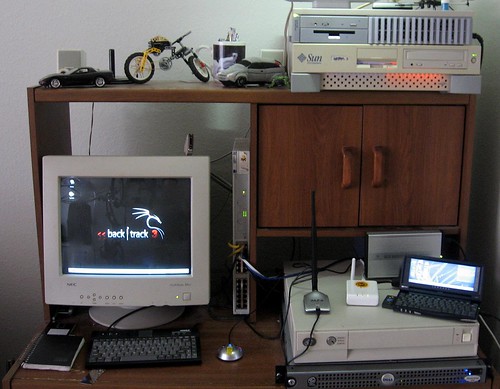
If anyone still wants to go to Daily Dose tonight, that's fine. Some of us will be at Casa De Ax0n hacking on wireless stuff.

Given the fact that all things Karma have the potential to disrupt nearby WiFi service, we've opted to take the geek-out away from the normal venue this week. I really don't feel like getting banned from my favorite bar and coffee shop.

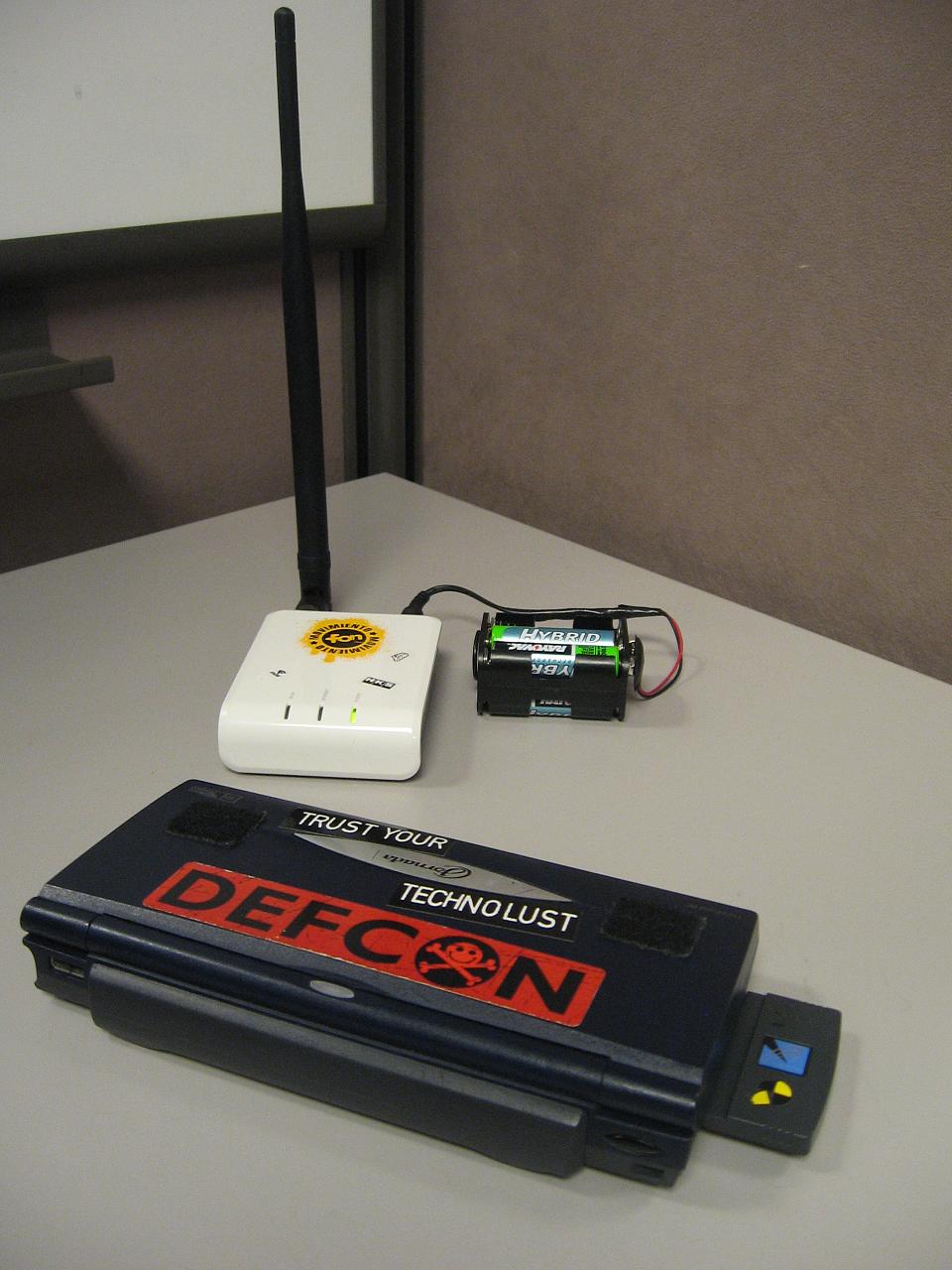
Like many others before me, I've freed my Fon from the wall outlet with a clip holding 4 AA batteries wired in series for 4.8 Volts. I'm currently using a 6-cell clip with the last two slots bypassed. It will hold five cells just fine for the full 6VDC that it was designed to use. I may do that this evening.

Asmodian X and I have been tinkering with these Fon routers for a few days now. We've both bricked (and subsequently un-bricked) them, and they're both running the latest version of OpenWrt.

Now it's time to see what we can do with them. The HiR WiFi Lab is going to be in full swing this evening. RSVP if you think you want to show up. I will need to clear it with w1fe 1.0, who probably doesn't want TOO many geeks coming over.