Showing posts with label x11. Show all posts

2009-12-09

How to better fix the GDM "face browser" login issue

It's really not that hard. I went poking through the documentation for gdm-simple-greeter and found an option outlined called disable_user_list. It took me a bit to figure out how to disable the feature, and I broke gdm a bunch of times before googling it and finding a great post by [daten] on the Fedora forums that outlines it.

So first, if you followed my angrily-penned directions from last night, undo that with these steps:

In a terminal window, execute:
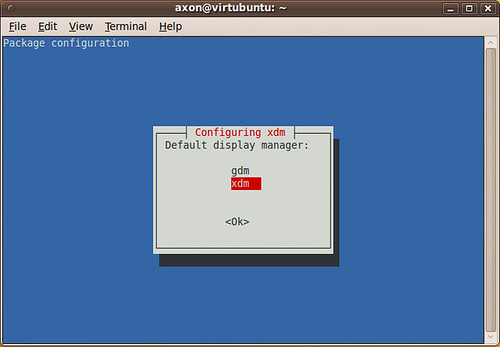
$ sudo dpkg-reconfigure gdm
(select gdm instead of xdm at the dialog box)

$ sudo /etc/init.d/xdm stop
(X11 will bail. Go ahead and login at the console prompt)

Continue as below, starting with the gconftool-2 command. You don't have to stop gdm, obviously. You can just start it.

If you didn't switch to xdm first...


Now, we can simply tell gdm to disable the user list with a lengthy gconftool-2 command. Make sure you scroll to see the whole thing:

$ sudo gconftool-2 --direct --config-source xml:readwrite:/etc/gconf/gconf.xml.defaults --type bool --set /apps/gdm/simple-greeter/disable_user_list true

Log off. The change may not take effect until you stop and start gdm. If you still see the user list, press ctrl-alt-F1 to get to the console, log in and run the following commands:

$ sudo /etc/init.d/gdm stop
$ sudo /etc/init.d/gdm start

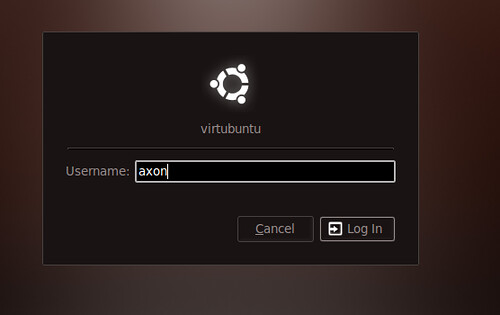
At that point, you should have a new, still squishy and pretty login screen without the face browser of doom.
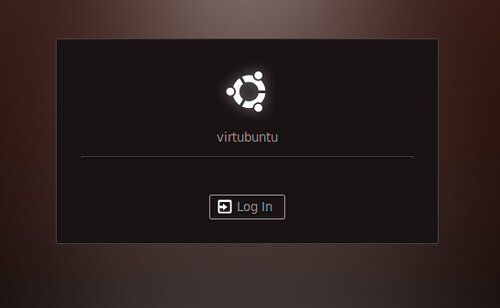

FYI, "axon" wasn't filled in automatically, I had to type it. This is much better!
2009-12-08

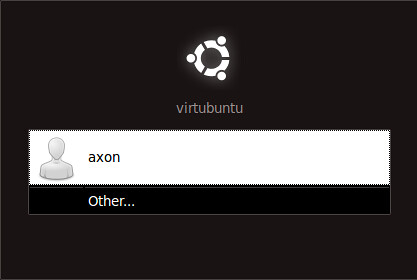
Fixing Ubuntu's broken excuse for a login screen

This is fscking unacceptable. Yah, it's slick. All windows-esque. Whatever. I hate it. I'd like to be able to type my user name in, and not have a freaking list of enumerated accounts sitting there on my damn login window. Now get off my lawn *shakes cane*


Today, it finally annoyed me enough that I'd be willing to do whatever was needed to fix it. How about a real display manager?

In a terminal window, run:
$ sudo apt-get install xdm

You'll get a prompt. Select xdm.

Then, log off from your workstation, and hit Ctrl-alt-F1 to go to the text console. Log in with your user account and run the following commands to shut down gdm and start our new, tasty xdm.

$ sudo /etc/init.d/gdm stop
$ sudo /etc/init.d/xdm start

New, ugly but functional login screen. Yay.

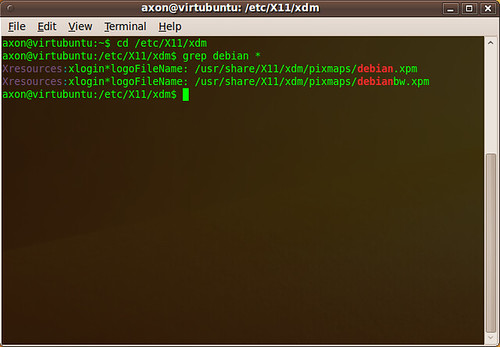
By the way, the link to the Debian logo is buried in the xdm configuration file /etc/X11/xdm/Xresources. If you really want to change it, you can edit this config file and/or Bring out the Gimp and start crack-a-lacking.

fin.

2008-11-05

Xorg.conf for OpenBSD MacBook / Parallels

On a lot of hardware, X.org just works. OpenBSD is no exception. At certain resolutions and in particular on notebooks, X.org is not happy and getting it configured properly when that happens is usually a time-draining adventure.

This configuration file (xorg.conf) works great on OpenBSD 4.4 under Parallels Desktop on a MacBook and gives you full 1280x800 resolution at 24bpp color. It should also work for FreeBSD under Parallels as well, but I haven't taken it for a spin yet.

So far, I'm really digging OpenBSD 4.4. It might not be as easy to configure as Ubuntu or its Linux brethren, but it's rock-solid and I still prefer the BSD port and package systems to RPM or Debian-style package management.