Showing posts with label hacks. Show all posts

2015-12-06

Raspberry Pi Zero in a USB Hub (Part 1)

I've had this USB Hub kicking around for a while. I like it because it came with a good power supply and it can handle things like 1-Watt USB Wi-Fi adapters, RTL-SDR receivers and USB-powered hard drives with ease. It's small enough to stash in my backpack.


As powered hubs go, this one isn't anything spectacular.You can probably do something similar if you find the right hub.

This hub's case popped open easily with just a spudger and some fingernails. I took the circuit board out and found a spot to get 5VDC near the power input port. I soldered some wire to a pad, and another wire to ground. I attached these to the +5V and ground rails through the Raspberry Pi Zero's GPIO header (Pins 4 and 6 respectively)

Next, I cut some notches in the plastic case for HDMI and the USB OTG cable. I'd like to eventually wire the USB directly to the hub's board, but that'll be for part 2. For now, I need a hole in the case for USB. Everything lines up nicely.

I used electrical tape to insulate the bottom of the Pi, and the top of the USB ports inside.

Some 3M double-sided mounting tape holds everything in place. Sorry for the blurry shot. I didn't review some of these photos until everything was stuck back together.

With the cover snapped on, it almost looks like a normal USB hub. In fact, as pictured, it would still work like one, with a Raspberry Pi whirring away silently inside, hooked up to nothing other than power (which it can also get from USB without the DC power supply.)

I have a Logitech wireless keyboard/mouse and a USB WiFi adapter plugged in. This is pretty much the bare minimum to get a Pi onto the Internet and usable. 


Since I haven't gotten USB hooked up inside the case (I'll need some fine wire, a really good SMD soldering iron and a steady hand to attempt that), I still have to hook the Pi's USB OTG port on the front to the USB port on the back of the hub.

Not terribly elegant, but it works.


That's pretty much all there is to it.  Plug in the Mini-HDMI cable and the power supply and watch it go. You've got a computer that's better than anything I had in the early 2000s in something roughly the size of a pack of gum, and you'll have a decent number of USB ports to work with, too!


2011-12-04

UPS Battery Hackery: Not highly recommended

Step 1: Disassemble UPS (not shown). That includes unplugging it and removing the battery, and taking the outer shell off. This was a dumpster rescue that was missing the battery entirely. Be careful. Lots of capacitors and transformers inside. See the disclaimer in the title. Not highly recommended.

Step 2: Drill a hole in the case, near where the battery wiring harness enters the battery chamber. I used a 1/2" drill bit for this.

Step 3: Make a grommet. I used some silicone air hose for my aquarium, cut a length of it, then split it. I used a few separate pieces.


Step 4: Re-assemble, Hook up a much bigger battery than what's supposed to be inside.


I accept no blame for any of the many things that could possibly go wrong with this.

2010-02-06

Guest post: Fonera Power-Over-Ethernet

Editor's notes:
This technique should be useful for short runs of ethernet (6' or less) and to power pretty much anything that needs 5VDC and doesn't require a lot of current. I've seen USB ports provide up to one amp of current, though it's usually advised to keep it under 500mW. If you have a dual-USB Power/Data cord like the ones that come with external 2.5" hard drives, I'd advise using that to help get more power to the Fon, but there are several people running USB power directly to the Fon, and it seems to work fine. This is the first time I've seen a POE injector/splitter used in combination with USB before. Pretty clever.

This is a guest post by cyb3rassasin, a student in the midwest that's interested in security technologies. You can follow him on Twitter.


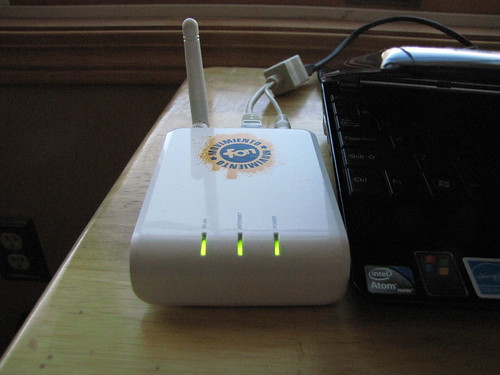
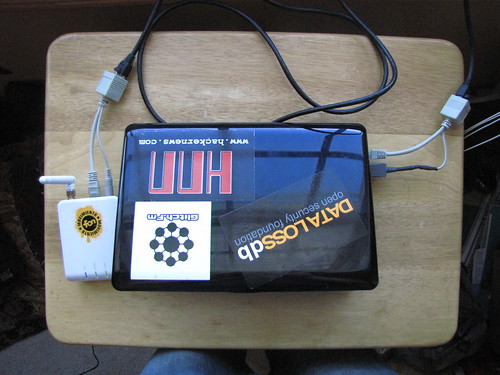
Okay, so I’m sitting in the coffee shop with my LaFonera router in front of me, and my netbook on my lap. I look at my fon just sitting there with its 4 AA battery pack, pondering how else I could power this little guy. A battery pack is bulky, and I don’t really want to have to carry a wall wart with me everywhere I go.

So the options that come to mind are usb power, battery pack, and power over ethernet. The first two aren’t bad ideas but I was kinda looking for something a little more compact and cleaner. I decided to look at some PoE injectors/splitters because they’re inexpensive and compact.


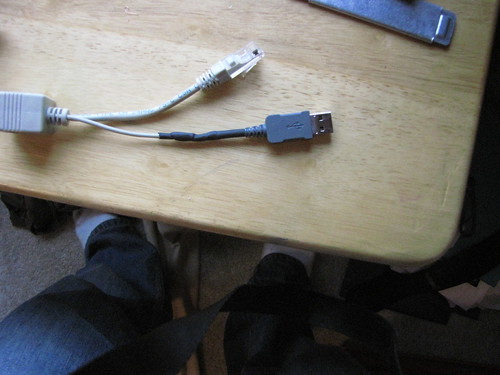
The only problem I could forsee is again I’d have to carry a wall wart around with me. Then I thought why not cut the power adapter off the injector and replace it with a usb plug. It would be simple, clean, and I’d only have to have one cable running to the fon. The Fon can run from 5VDC just fine.

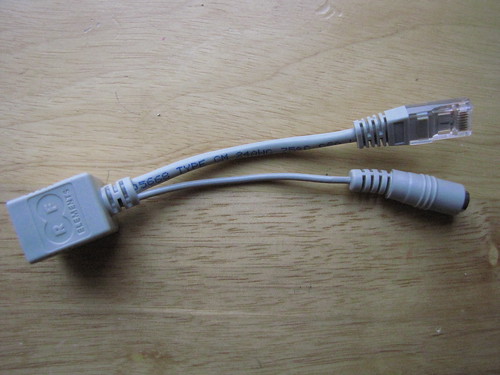
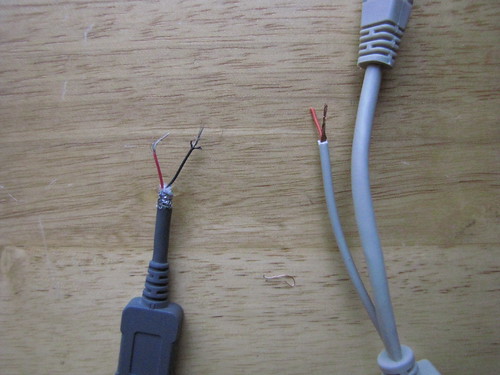
I decided to pick up a set of PoE cables from Passive PoE. I grabbed a usb cable from an old phone that I had, I chopped the end off and stripped all the wires. I then cut the power plug off of the injector and stripped the two wires. ( note: the copper is ground and the red is positive)


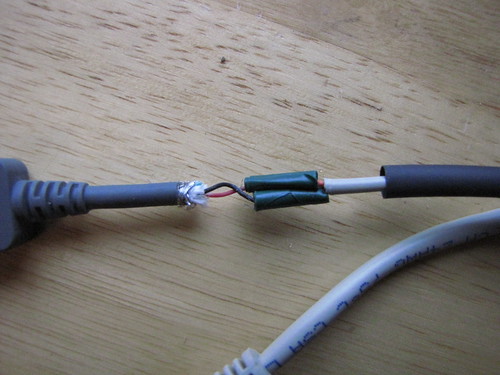
Now, don’t make the same mistake I did: put the heatshrink on the injector before soldering the usb plug and the injector together. I soldered up the connections, wrapped each individual connection in electrical tape, and heatshrunk it.


Before testing this with my fon, I thought it would be a good idea to make sure I got the polarity correct. I plugged the injector into my netbook, hooked up an ethernet cable, and then attached the splitter. I took a multi-meter and to the splitter and sure enough, I had the polarity right. Center pin: positive 5VDC, outer barrel: negative

Now it’s time to take a leap of faith and plug in my fon, and woot! It works!


So now I successfully have a compact way to power my fon via usb and PoE. I’ve found one downside to this, it drains my netbook battery faster than if I would use a battery pack. Other than that this is an effective alternative way to power the fon.


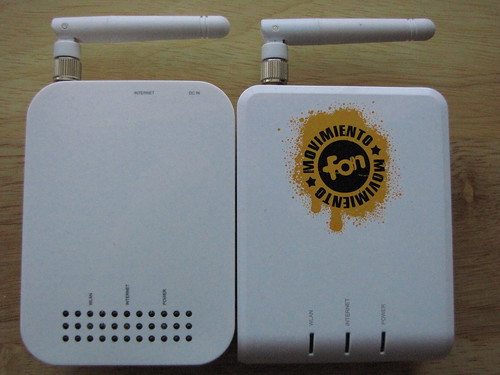
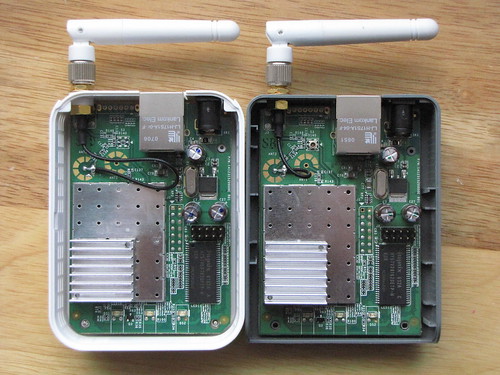
cyb3rassasin also showed me the Open-Mesh mini router, which seems to be nearly identical to the original Fon2100 shown here. Since the Fon2100 is no longer available new from the manufacturer, and the newer hardware isn't as friendly for things like Jasager/Karma, it's nice to know there is still a comparable piece of gear out there to take its place in our hackpacks. Long live evil wifi! Here are some photos he sent us, comparing the Open-Mesh and the Fon2100.


2009-11-24

Tools of the day: nmap 5.10 Beta 1, Shodan beta

Two seriously awesome blips across my infosec radar today:

nmap 5.10BETA1 was released. New .NSE scripts, performance enhancements, OS fingerprints and minor fixes abound. Definitely worth checking out.

Shodan Beta. This computer/port/network search-engine is, as Mubix put it, "a game-changer. " Some of my favorite queries so far:
  • ProFTPD country:BR (Vulnerable FTP servers in Brazil via Hevnsnt)
  • port:23 list of built-in commands (unpassworded shells via HD Moore)
  • Live View (via me, finds lots of Axis Webcams)
  • jetdirect (find networked printers, maybe good for FTP Bounce scans?)