2019-10-20
OpenBSD 6.6 released early!
2019-09-25
Scams: Two Close Calls
Over on Twitter, Eric Mill tweeted:
My stories are a bit too long for Twitter, but let's unpack two scams that were pretty well done which I fell for -- at least partially -- recently. We'll also highlight some early telltale signs that something was wrong, which I embarrassingly either missed or shrugged off at first, so that perhaps you'll be able to spot these scams better.A friend of mine who works in infosec recently fell for a scam and had to cancel their credit card. They're very embarrassed about it right now, but I'm pretty sure we can all be scammed, right? It's definitely happened to me.— Eric Mill (@konklone) September 25, 2019
Have you been scammed before? How'd it happen?
Feel free to share your own "scammed" stories in the aforementioned Twitter thread, or here in the comments.
My bank's doppelganger phone number
My debit card had been getting flaky in chip readers recently. In fact, the plastic around the embedded chip contacts was breaking. It was time for a new card. I turned the card over to find the customer service number, which was a bit difficult to read because it was inexplicably printed directly under the embossed credit card number. The conversation went like this:Agent: Thank you for calling [my bank's name] Card Services, this is [name]. Who am I speaking with today?
Me: ... my real name ...
Agent: Good morning, [name]! How can we help you today?
Me: My card's pretty worn out and isn't working consistently. I need a replacement, please.
Agent: We can get your new card sent out right away! What's your card number?
Me: ... reads the card number ...
Agent: And the expiration date?
Me: ... reads the expiration date after a short pause ...
Agent: And for security purposes, the 3-digit CVV code.
I suspected something was fishy when the agent requested my expiration date, but a few things were going on in my head. *I* called them, not the other way around. Also, the agent was professional and friendly, and even answered the phone with my bank's name. But when I got asked for the CVV code, that's when I knew something was completely wrong. I took a very close look at the back of my card, and compared it to the phone number I was calling. One of the hardest-to-read digits of the phone number on the back of my card was an 8, instead of the 0 that I dialed.
Having disclosed my first and last name, Primary Account Number and expiration date, I called my bank's real number and had my card disabled and ordered a replacement. My real bank didn't even need my whole card number to look my account up when I contacted them. That was the first red flag, and I had completely missed it.
The mobile phone carrier "Fraud Department"
I got a call unusually early on a Saturday morning from my mobile carrier's customer service number (It was in my contacts and it was the right number). The person on the line was from the fraud department, and explained that they'd seen unusual activity on my account. Someone had changed the address on my account and then mail-ordered a new iPhone X for a little over $1000. She explained that any time an address is changed right before a purchase, their system flags the transaction for review.This sounds quite rational to me. But who had access to my account? My wife's caregiver had recently quit and moved out, and she had a phone on our account. When she quit, we made her leave the phone behind. Perhaps she was up to no good? I was confused and furious; I felt violated. I explained that our old roommate may be behind it.
"Do you recognize this address?" the agent asks, before rattling off some random address in The Bronx. There's no way our old roommate was in The Bronx. Her family is all in Texas and Oklahoma. I thought it was very strange that a fraud department representative would disclose this information to me. That was the first red flag. I chose to ignore it.
"Sir, we'll take care of this," she explains. "We never processed the transaction, because it was flagged for review. Let's get your account secured! I just sent you a one-time code to verify you're in possession of the phone tied to your account. Can you read it to me?" There's red flag #2. I was still far too flummoxed to see it.
I get an SMS message from my wireless carrier. In a rush, I don't even read the whole message. I rattle off the 8-digit number. But then something catches my eye as I bring the phone back up to my head. Right at the beginning of the text message, there's a big disclaimer along the lines of "For the security of your account, we will never contact you for this code."
Now the plot thickens, but I'm a bit sharpened up. I begin to suspect this is an elaborate ruse, and it worked pretty well.
"I am not comfortable with this call," I say, grabbing my laptop and trying to log in to my account. The password has already been changed, in under a minute. Even the temporary code I'd just been texted isn't working. "Is there a direct number I can call you back at?"
"I'm securing your account, sir. I assure you, I'm from the fraud department. We do this all the time. I understand you're angry. We're almost finished with the password reset," she says, quite professionally. Meanwhile, I'm issuing my own password reset through my carrier's website. I get the exact same text message this agent had "sent" me, with a different one-time code, obiously.
I tell her that something has come up and I'll have to call her back in a few minutes. I ask for her name again. "Jessica," she says.
"May I please have your direct phone number so I can call you back in a bit, Jessica?"
"Sure thing! Just call me back at the customer service number I'm calling from. I'm at extension 105."
I hang up, and finish resetting my password.
I call back while scrolling through my account to make sure nothing's been purchased or changed. I get my carrier's customer service, as expected. There is no way to dial an extension. I get a real human on the phone, and ask to be transferred to extension 105. There is no extension 105. There *IS* a fraud department, but they do not call subscribers directly. Customer service pulls up my account's history. They keep a record of every agent who's looked at my account. No one had opened my account since we added a line to the account for our recently-departed caregiver.
Attackers can easily spoof a call to make it look like it came from any phone number. Armed with only my carrier's customer service phone number, and a list of phone numbers assigned to my carrier, they can trawl through the list and perpetrate this scam over and over. Having a young woman with a southern twang make the calls, with obvious call-center background noise was icing on the cake.
Labels: scam, socialengineering
2019-04-30
Former student pleads guilty in "USB Killer" case
A few weeks old, from the Department of Justice website, comes the first mention I've heard of a "USB Killer" being used nefariously at scale:
Akuthota admitted that on February 14, 2019, he inserted a “USB Killer” device into 66 computers, as well as numerous computer monitors and computer-enhanced podiums, owned by the college in Albany. The “USB Killer” device, when inserted into a computer’s USB port, sends a command causing the computer’s on-board capacitors to rapidly charge and then discharge repeatedly, thereby overloading and physically destroying the computer’s USB port and electrical system.
Akuthota admitted that he intentionally destroyed the computers, and recorded himself doing so using his iPhone, including making statements such as “I’m going to kill this guy” before inserting the USB Killer into a computer’s USB port. Akuthota also admitted that his actions caused $58,471 in damage, and has agreed to pay restitution in that amount to the College.
This is the predominant threat model that came to mind when USB Killer Hype kicked in about a year and a half ago. That is, someone repeatedly using it to attack unattended computers. While USB Killer devices are no longer one-off devices, and they have achieved a sort of "commercial viability," the kind that look convincing enough for a random person to insert into their own PC cost more than $60 USD. That's a lot of cash to spend on potentially destroying devices belonging to a random person by just leaving it laying around. Cheaper ones that are chunky (or have no case at all, or have cases emblazoned with menacing logos) are easier to come by, but obviously look more suspicious.
This is a pretty "clean" way for someone to destroy a computer they have physical access to, but ultimately, "physical access is total access" as the saying goes.
Labels: Electronics, risk, threat
2019-04-28
OpenBSD 6.5 released early
As far as installation and daily use go, you probably won't notice much has changed in OpenBSD 6.5. There was a ton of work done in areas of hardware support and network-stack enhancements.
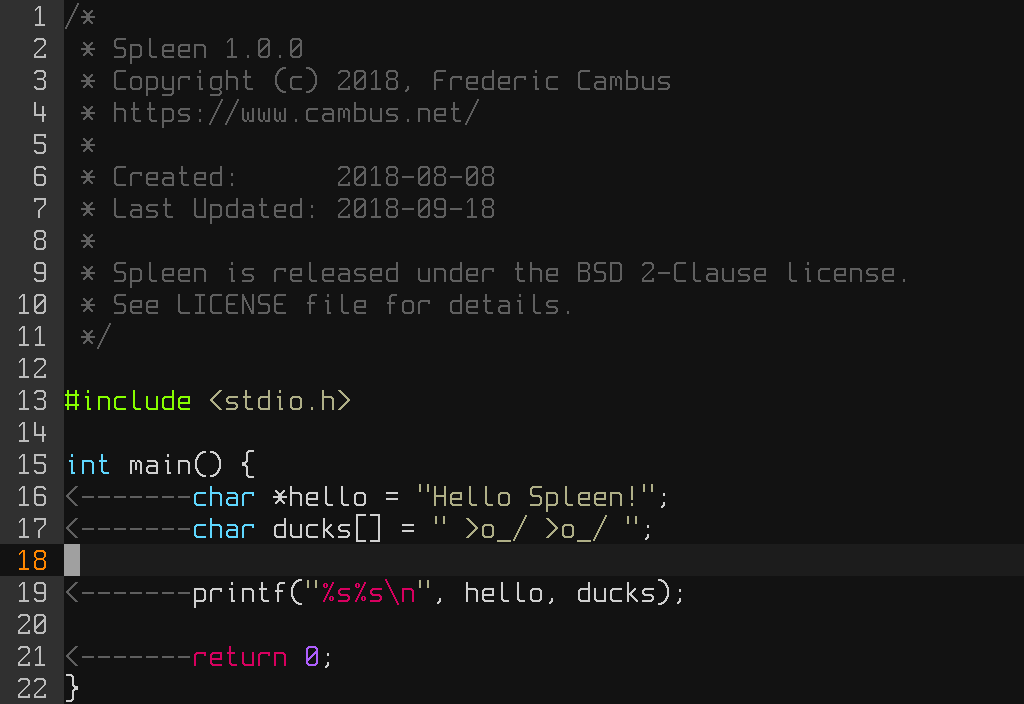
If your console supports it, you may notice a new default console font (called "Spleen"). I've seen this on my OpenBSD-Current laptop for a few months. At first, I didn't really like it, but it's quite readable and has grown on me when working in text-only mode. I'm considering setting it as my default xterm font as well.
If you use OpenBSD-CURRENT with snapshots, however, there's already some fun stuff unfolding there, with sysupgrade(8) among them. This makes in-place upgrades a breeze. While it's not available in OpenBSD 6.5, upgrading from one release to the next should get a lot easier in about a year's time. The 6.6 to 6.7 upgrade will be the first supported release with this tool, unless they backport it to 6.5 with an errata/patch -- unlikely, indeed...
Here's our new sysupgrade utility in action: a fully unattended snapshot upgrade with just one command. https://t.co/wRF8jlHvA6 pic.twitter.com/NVOO9yHTns— OpenBSD (@openbsd) April 26, 2019
2018-12-02
OpenBSD VMM Hypervisor Part 4: Running Ubuntu (and possibly other distros)
TL;DR: you cheat.
I've been trying for almost a year to figure out how to get the cloud-init meta-data service to work with the Ubuntu Cloud image. I've asked on misc@ and other OpenBSD groups, and no one has an answer. The documentation is vague. If anyone ever figures out how to configure meta-data, let me know. I'd still like to give it a shot.
Last week, I rescued a server from a pile of computers destined to be scrapped and recycled. For me, it's the perfect setup for getting serious with OpenBSD VMM in my home lab. Two older Xeon E5-2620 CPUs and 128 GB of RAM. No hard drives, but it came with enough empty drive trays for getting started. I threw a pair of old SAS drives into it.
No surprise, OpenBSD just worked. This renewed my fervor for replicating a bunch of my cloud instances at home, and there's a lot of Ubuntu in use.
I decided to bite the bullet and just use qemu to do the installation and configuration of Ubuntu. Install qemu from packages:
doas pkg_add qemu
Download Ubuntu Server. I've actually used both 18.04 LTS and 16.04 LTS. I'm focusing on 16.04 for this because that's what I'm running on most of my EC2 instances.
Create a disk image.
vmctl create qcow2:ubuntu16lts.qcow2 -s 20G
Boot the ubuntu ISO and attach the new ubuntu disk image to qemu:
qemu-system-x86_64 -boot d -cdrom ~/Downloads/ubuntu-16.04.5-server-amd64.iso -drive file=ubuntu16lts.qcow2,media=disk -m 640
Install Ubuntu as usual. I didn't bother adding anything other than the SSH server during installation. qemu is really slow on OpenBSD, but it works... eventually. When the install is done, shut down and then restart qemu without the installation ISO attached.
qemu-system-x86_64 -drive file=ubuntu16lts.qcow2,media=disk -m 640
Log in with the user-level account you created. There are only two things to tweak before it's ready to run in vmm: Configuring the serial console, and the network interface.
Under qemu, Ubuntu sees "ens3" as the network interface. Under vmm, the network interface is "enp0s3". Change "ens3" to "enp0s3" in /etc/network/interfaces if you're using 16.04. On Ubuntu 18.04, you must instead change the "netplan" config file in /etc/netplan/50-cloud-init.yaml with the same kind of change, ens3 to enp0s3.
To configure the serial console, edit /etc/default/grub and change this line:
GRUB_CMDLINE_LINUX=""
to
GRUB_CMDLINE_LINUX="console=tty0 console=ttyS0,115200n8"
then run
sudo update-grub
Shut down qemu again. Your disk image is basically ready to go under vmm.
To save the trouble of having to mess with qemu again, I recommend creating derivative images of the one you just created, and using those for vmm.
vmctl create qcow2:ubuntu16lts-1.qcow2 -b ubuntu16lts.qcow2
Add the new disk image to a configuration clause in /etc/vm.conf on your OpenBSD host system. Mine looks like this:
vm "Ubuntu16.04" {
disable
owner axon
memory 4096M
disk "/home/axon/vmm/ubuntu16lts-1.qcow2"
interface {
switch "local"
lladdr fe:e1:ba:f0:eb:b0
}
}
For more information about setting up switches and networks in vmm, see Part 2 of my VMM series.
Voila! Ubuntu in VMM!
Although the configuration files you must edit to make it work might vary, you can do the same thing and it may very well work for text-mode-only distributions.
I actually didn't need to use qemu to get arch linux installed in vmm, but it was somewhat tedious to do entirely in vmm, and it took me a few tries to get it right. Qemu might have been easier.
Labels: linux, openbsd, ubuntu, unix, virtualization
2018-11-01
OpenBSD vmm Hypervisor Part 3: qcow2 and derived disk images
Labels: openbsd, unix, virtualization
2018-10-29
New OpenBSD FAQ: Virtualization
OpenBSD has, arguably, some of the best officially-maintained documentation of any modern operating system. Solene Rapenne added a new FAQ section for Virtualization that covers getting OpenBSD's VMM hypervisor off the ground, and it gets the basics out of the way pretty well.
The FAQ kind of glosses over the more elaborate network configuration schemes, one of which I covered in Part 2 of my VMM article a while ago, though if you poke around between the FAQ and man pages, you can find pretty much all you need.
There are some new features to VMM which I plan on writing about soon. Stay tuned!
Via Undeadly
Labels: openbsd, unix, virtualization